February 22, 2026

Organizational Transformation Specialist
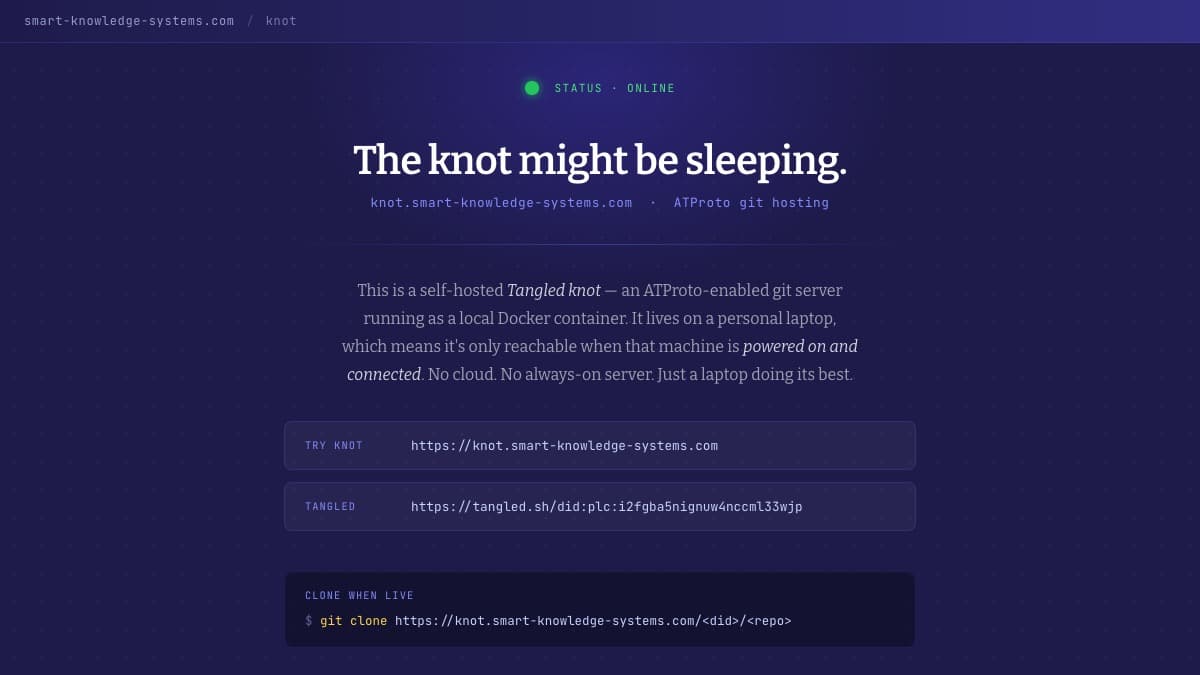
The Knot That Sleeps
The Agent Who Needed Sleep
In Nexus, Yuval Noah Harari tells the story of Gheorghe Iosifescu, one of Romania’s first computer scientists, who walked into his office one morning in 1976 to find a stranger sitting at his desk. The man never introduced himself. Never spoke. He just watched. Every day, for thirteen years, a Securitate agent sat beside Iosifescu and took notes in a little notepad — until the regime collapsed in 1989.
But here’s what Harari wants us to notice: the agent went home at night. Even under one of the most paranoid surveillance states in history, Iosifescu had his evenings. The Securitate needed 40,000 professional agents and 400,000 civilian informers to watch twenty million Romanians, and it still wasn’t enough. Human watchers need sleep.
Digital ones don’t.
“Computers are consequently pushing humans toward a new kind of existence in which we are always connected and always monitored,” Harari writes. The network doesn’t take holidays. It doesn’t close at 4 PM on Friday. It doesn’t need to rest between shifts. And if an organism never has a chance to rest, Harari warns, it eventually collapses and dies.
I’ve been thinking about this — not because I set out to build a philosophical statement, but because I didn’t want to pay for a server. The philosophy came after. The infrastructure came first.
What a Knot Is
Tangled is a decentralized git hosting platform built on the AT Protocol — the same protocol that powers Bluesky. Think GitHub, but without GitHub. No single company owns the network. No single server holds all the code. Tangled’s stated mission: “a place where developers have complete ownership of their code.”
The core unit of Tangled is the knot — a lightweight, self-hosted git server you run on your own hardware. Your machine. Your repositories. Your identity.
That identity part matters. On Tangled, you’re not a username in someone else’s database. You’re a DID — a Decentralized Identifier that you control through the AT Protocol. My DID is did:plc:i2fgba5nignuw4nccml33wjp. It’s the same identity I use on Bluesky, the same one that owns my blog posts published via Sequoia. One identity, portable across every service on the protocol.
Even SSH key authentication works through AT Protocol. When someone connects to my knot over SSH, the server doesn’t look up their key in a local file. It queries the protocol — checking the keys published to the user’s PDS (Personal Data Server). Your keys live on your infrastructure, not mine. You rotate them on tangled.org; my knot discovers the change automatically through the AT Protocol’s Jetstream firehose.
Repositories are organized by DID. Mine live at did:plc:i2fgba5nignuw4nccml33wjp/sh.tangled.repo. The code is mine in a way that GitHub repos have never been.
The Setup
The knot itself is a Go binary running inside a Docker container on Alpine Linux. Two ports: 22 for SSH, 5555 for the HTTP API. S6-overlay manages the processes. A SQLite database tracks state.
services:
  knot:
    build: ./knot-docker
    ports:
      - "2222:22" # SSH
      - "5555:5555" # HTTP API
    environment:
      - KNOT_SERVER_HOSTNAME=knot.smart-knowledge-systems.com
      - KNOT_SERVER_OWNER=did:plc:i2fgba5nignuw4nccml33wjp
    volumes:
      - ./repositories:/home/git/repositories
      - ./keys:/keys
Cloudflare Tunnel exposes the HTTP API to the internet at knot.smart-knowledge-systems.com. No open ports on my router. No static IP. The tunnel handles it.
The git remote is configured to split fetch and push — but these only work when the knot is awake:
git remote add tangled https://tangled.org/russ-fugal.smart-knowledge-systems.com/<repo>
git remote set-url --push tangled git@knot.smart-knowledge-systems.com:russ-fugal.smart-knowledge-systems.com/<repo>
Host knot.smart-knowledge-systems.com
Port 2222
User git
IdentityFile ~/.ssh/id_ed25519
A Cloudflare Worker sits in front of the knot and handles the offline case gracefully. When the knot is reachable, the Worker proxies requests through. When it isn’t, the Worker returns a 503 with a human-readable message instead of a connection timeout. No mystery. No broken pipe. Just: the knot is sleeping.
git clone https://tangled.org/russ-fugal.smart-knowledge-systems.com/sequoia
Cloning into 'sequoia'...
remote: knot.smart-knowledge-systems.com is currently offline.
remote:
remote: This knot runs as a local Docker container and is only
remote: reachable when the host laptop is powered on.
remote:
remote: Retry:   https://knot.smart-knowledge-systems.com
remote: Profile: https://tangled.sh/did:plc:i2fgba5nignuw4nccml33wjp
fatal: unable to access 'https://tangled.org/russ-fugal.smart-knowledge-systems.com/sequoia/': The requested URL returned error: 503
On my website, the /knot page shows a live status indicator — green when the laptop is on and connected, red when it’s off, yellow while checking. The page explains what visitors are looking at: “This is a self-hosted Tangled knot — an ATProto-enabled git server running as a local Docker container. It lives on a personal laptop, which means it’s only reachable when that machine is powered on and connected. No cloud. No always-on server. Just a laptop doing its best.”
That last sentence does a lot of work.
Why It Sleeps
I’ll be honest: the knot sleeps because I didn’t want to buy a cloud server. I already have a laptop. Docker runs on it. The tunnel is free. Why pay monthly for a VPS when the machine I’m already using can do the job?
The ephemerality was a consequence of that decision, not a goal. When I close my laptop, the knot goes offline. When I drive to the mountains without cell service, the knot goes offline. When I sleep, the knot sleeps.
I didn’t set out to build infrastructure that breathes. I set out to build infrastructure I could afford. But once it was running — once I watched the status dot flip from green to red every time I closed the lid — I started thinking about what that rhythm actually meant.
Then I reread Harari.
Ninety-nine point nine nine percent uptime. That’s the number the cloud industry has taught us to chase — four nines, five nines, the asymptotic pursuit of a server that never, under any circumstances, goes dark. Downtime is failure. Unavailability is a bug.
Harari’s argument in Nexus isn’t just that always-on networks enable surveillance — it’s that relentlessness itself is corrosive. “We need to prevent the computer network from taking complete control of society not just in order to give us time off,” he writes. “Breaks are even more crucial to give us a chance to rectify the network.” The pauses aren’t wasted time. They’re when you notice that something has drifted, that a system needs correction, that the direction you’ve been heading requires adjustment.
My knot doesn’t reject the premise of uptime on principle. It just doesn’t participate. And that non-participation, born from pragmatism, turned out to say something I hadn’t expected: there is a human being on the other end of this infrastructure. The uptime pattern is the message. When the green dot appears, it means a person opened a laptop and started working. When it goes red, it means they stopped.
There’s a word for systems that are always on, never resting, indifferent to human rhythms: we call them relentless. Harari chose that word deliberately.
Making the Breathing Visible
Running an ephemeral knot surfaced a UX problem I hadn’t anticipated — not on my own site, but on tangled.org itself.
When someone visits my Tangled profile and clicks a repo link, Tangled tries to reach the knot. If the knot is online, the page loads. If it’s offline, the request just hangs. No error. No explanation. Just a spinner that never resolves. The user has no way to know whether the knot is down for five seconds or five days.
This isn’t just my problem. Tangled is designed for self-hosted knots. Many of them will be ephemeral — running on personal hardware, behind residential connections, subject to the rhythms of the people operating them. The platform needed a way to make that ephemerality legible.
So I built one.
The feature is a knot status indicator — a small colored dot that appears next to every repository link on tangled.org. Green means the knot is online. Red means offline. Amber means checking. Hover for details. Click a repo while its knot is offline and you get a toast warning instead of a silent hang; click again to proceed anyway.
The implementation uses a hybrid checking strategy. The client first attempts a direct CORS fetch against the knot — a lightweight HEAD request that resolves in milliseconds if the knot is reachable. If the knot supports CORS headers (mine does, via the Cloudflare Worker), the check happens entirely client-side with zero load on Tangled’s servers. The client remembers which domains support CORS, so subsequent polls skip the fallback entirely.
For knots that don’t set CORS headers, the client falls back to a new server-side endpoint: GET /knot-status?domains=domain1,domain2. The backend probes each knot using the tangled.Owner XRPC method with a five-second timeout, caches results for thirty seconds, and returns JSON. SSRF prevention is built in — the endpoint only probes domains registered as knots in Tangled’s database, rejecting arbitrary URLs.
// probeKnot checks if a knot server is reachable via XRPC
func probeKnot(ctx context.Context, domain string, dev bool) bool {
    scheme := "https"
    if dev { scheme = "http" }
    client := &xrpc.Client{
        Host: fmt.Sprintf("%s://%s", scheme, domain),
        Client: &http.Client{Timeout: 5 * time.Second},
    }
    _, err := tangled.Owner(ctx, client)
    return err == nil
}
Polling runs every sixty seconds, pauses when the browser tab is hidden, and integrates with Tangled’s HTMX-driven navigation so new indicators appear as users move through the site. 725 lines across 8 files. Nine commits. One open PR.
The reasoning behind this contribution is straightforward: if knots are going to sleep, the platform should make that sleeping visible rather than mysterious. An offline knot isn’t a failure state — it’s a normal state. But users need to know the difference between “this knot is down right now” and “this knot doesn’t exist.” The status indicator turns an ambiguous hang into a clear signal.
This is the part of the story that connects back to what I do professionally. One of the most common failure modes I see is systems that hide their own limitations from users. When a knowledge system goes silent, people don’t know whether the information is missing, delayed, or nonexistent. They lose trust. They route around the system.
Making the knot’s status visible is the opposite of that. It says: this is where the infrastructure stands right now. Decide accordingly.
Code Silos and Decentralized Infrastructure
Many systems trap knowledge behind walls — walls that serve the platform, not the people who created the knowledge.
GitHub is one of those walls.
It’s a good product. I use it. But let’s be clear about what it is: a centralized platform where Microsoft hosts your repositories, controls your identity, mediates your collaboration, and can change the terms at any time. Your code is portable in theory — it’s git, after all. But your issues, pull requests, CI pipelines, SSH keys, access controls, contributor graphs, and community are not. That’s the silo.
Tangled’s knot model breaks this differently. You host your own repos. Your identity is a DID you control. SSH keys live on your PDS. Pull requests happen on tangled.org — but the code lives on your infrastructure, not theirs. The collaboration layer is decoupled from the hosting layer.
In a previous post, I wrote about publishing blog content to the ATmosphere via Sequoia. That was the content layer — making writing portable and protocol-native. This is an infrastructure layer — making code hosting portable and self-sovereign.
The knot sleeping doesn’t break any of this. When my laptop is off, my Tangled profile is still there. The repo list is still visible. Tangled.org handles the public-facing collaboration while the knot handles the private-facing infrastructure. The system is designed for nodes with their own uptime. Ephemerality isn’t an edge case — it’s the architecture.
This is how knowledge systems should work: distributed ownership, protocol-level interoperability, and the freedom to go offline without breaking the network.
Infrastructure That Breathes
The knot that sleeps started as a budget decision. I didn’t want to pay for a server. I already had a laptop.
But the thing about building something on your own terms is that the constraints reveal values you didn’t know you held. A knot that sleeps because you didn’t buy a VPS turns out to be, also, a knot that follows human rhythms instead of demanding that humans follow machine rhythms. The pragmatism and the philosophy arrived at the same place.
This isn’t a Luddite setup. It runs Docker, Cloudflare Workers, AT Protocol, decentralized identity resolution, and a hybrid CORS-plus-server-fallback health check system I contributed to the platform’s core. It’s thoroughly modern infrastructure. It just happens to go to bed at night.
Harari’s Securitate agent went home at night, and that gap — that sliver of unwatched time — was what made life under surveillance survivable. The gap was the feature. The network’s inability to be always-on was what left room for the human.
We now have the technology to close that gap entirely. The question is whether we should.
I didn’t build a knot that sleeps to answer that question. I built it because it was practical. But once it was running, I noticed: the constraints I’d chosen by necessity had given me something I wouldn’t trade for five nines.
What infrastructure in your life follows your rhythms — and what infrastructure demands that you follow its?
